Help with Computer Issues
Video/Audio Tutorials
The video and audio tutorials were designed to be downloaded and played on a video iPod® however they can also be viewed in iTunes® or on a webpage if QuickTime® has been installed.
Method 1
The collection of video/audio tutorials can be
subscribed
by opening iTunes and selecting 'Advanced:Subscribe to Podcast..." then paste in the URL: http://www.boomer.org/c/snips/phar7112.xml Individual items can be played in iTunes by double-clicking on an entry.
Method 2
All the video/audio tutorial items may be displayed as an RSS feed by clicking on the RSS button near the address field of some browsers.
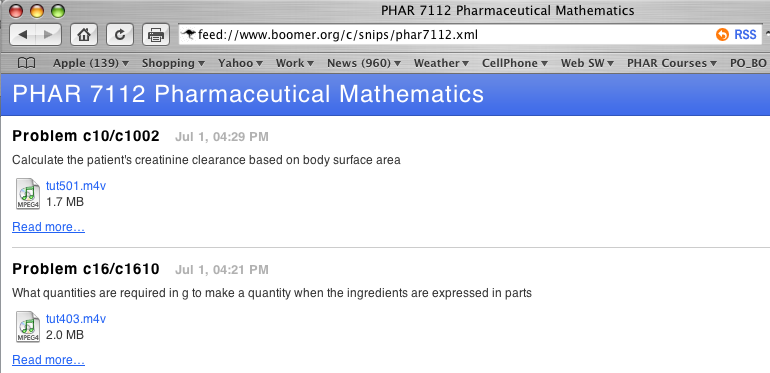
The Video/Audio Tutorials displayed as a RSS feed in Safari
In Firefox this appears as a Live Bookmark.
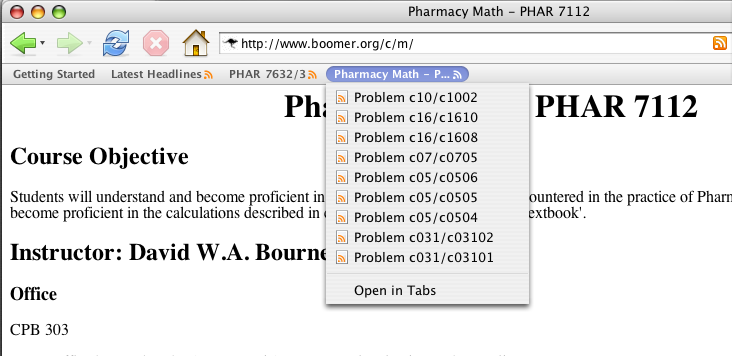
A Collection of Video/Audio Tutorials displayed as a Live Bookmark in Firefox
Method 3
Once QuickTime® has been installed it is possible to play the video/audio tutorial on a webpage. The key is to install the latest version of QuickTime so that the media can be presented correctly.
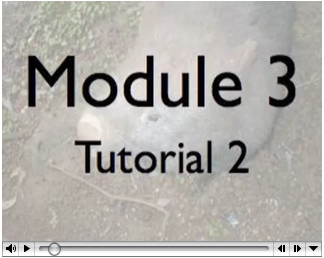
A Video Tutorial displayed on a Web Pgae
Any comments or suggestions? Please email David Bourne. Thank you.
Last update: Sat 27 Jul 2024 08:13:53 pm
Privacy Statement - 25 May 2018
iBook and pdf versions of this material and other PK material is available
Copyright © 2001-2022 David W. A. Bourne (david@boomer.org)